3D Game Development and Godot, Part I: Cameras
Sometimes, the only way to learn things is to stumble ass-backwards through them.


For years, I've wanted to switch from my trusty, crusty gamedev tool, Adventure Game Studio, to Godot. This is not because AGS is bad, in fact I have a deep love for it. But after spending years learning the ins and outs of it, and hacking together a bunch of crazy extensions, I realized that maybe it's time to try something new.
I've been eyeing Godot for years now. It's a rising star in the gamedev community, it's open source, and all of the tooling I need works out of the box on Linux. There's a level of flexibility in this engine that would allow me to develop many different kinds of games, rather than a point-and-click engine with hacks on top.
I dragged my feet for a long time, but I decided to bite the bullet with the recent release of Godot 4.6. It has just about everything I need to get started, regardless of what I want to build or prototype. So I dove in.
Initial Experiments
As a complete newbie, I decided to start with some basic resources to get a rudimentary 3D game working, to better understand what the process looks like:
- MakeHuman - Basic 3D character models with some degree of customization. They aren't the best-looking, but work out of the box.
- Mixamo - a bunch of freely available animations that can be used in 3D games. Handy for saving time while prototyping.
- Terrain3D - a Godot plugin for a 3D Terrain system.
- Godot Third-Person Controller - a Godot Asset Library template demonstrating how a character can be controlled with a third-person camera.
These all will come up in subsequent posts dedicated to them, but I want to really focus on the camera first, because it's a core piece of the 3D game experience.
Getting Set Up
Initially, the third-person controller template looks like this:
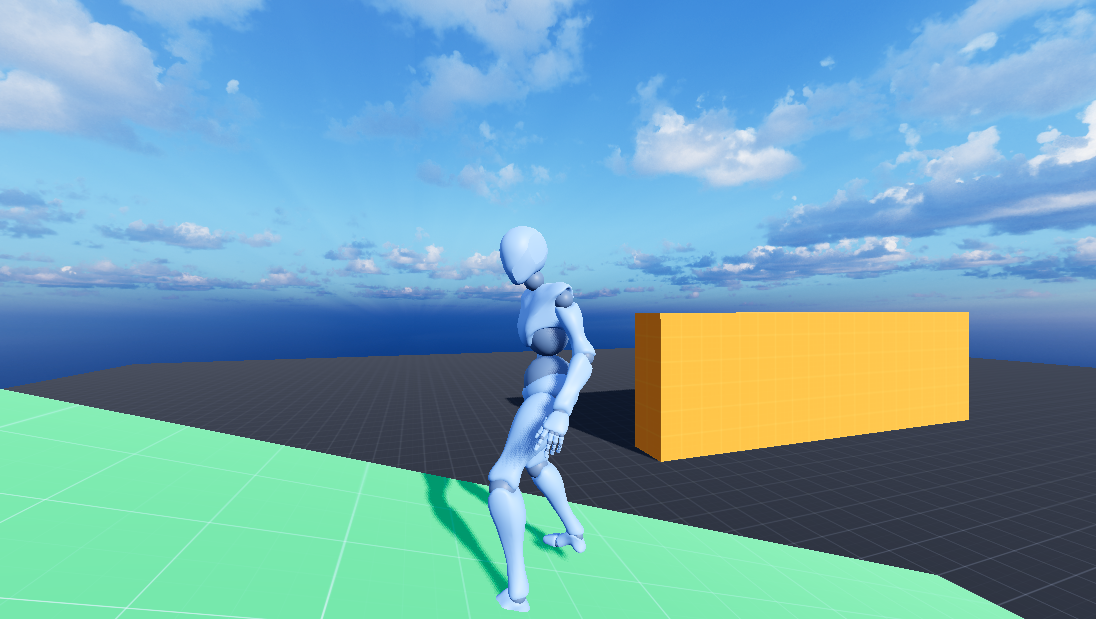
It's not a bad starting point. You can walk, run, and jump, and the camera automatically adjusts when backed up against a surface. Nice!
Camera and Controllers
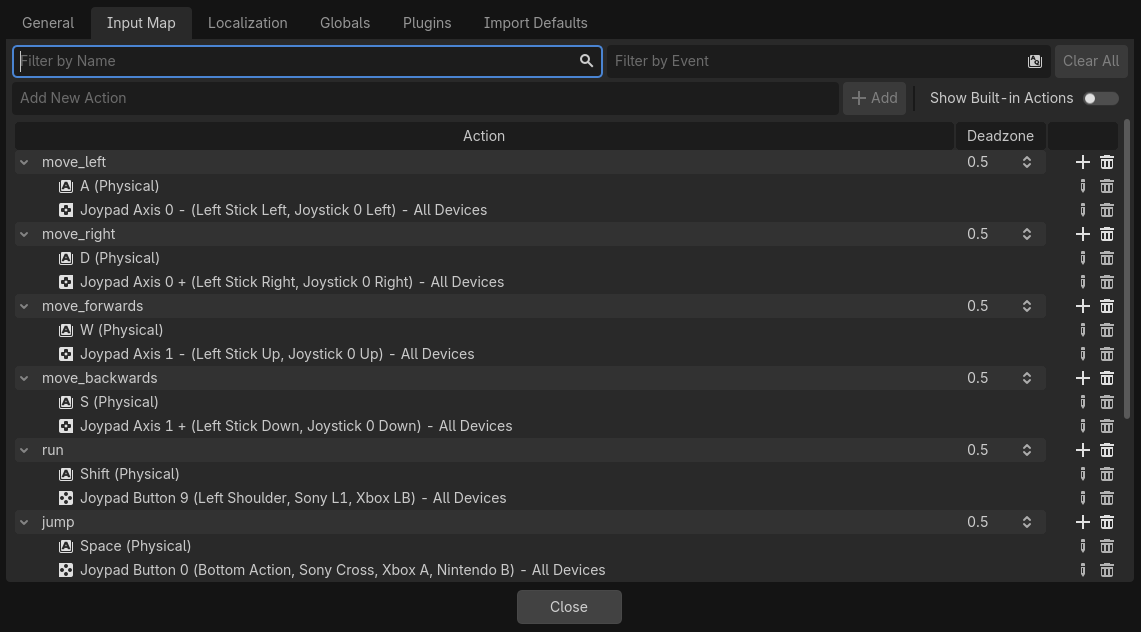
There are a few limitations that I had to initially work through. The template wasn't set up for controller support, so it was up to me to hack that in. Thankfully, this is relatively easy to do, since you're just mapping existing script functions to an input source. Godot makes this really easy.
For the third-person camera, this ended up working really well! I still want to adjust the camera position on the rig, for a more over-the-shoulder view, but it's perfectly serviceable for now.
I then decided that I wanted to implement both a first-person and third-person view, and that's where I started running into problems. Take a look at what happens when we swap over to the second camera source, which is attached to the player's head.
It looks...bad. In fact, this doesn't look at all like a first-person view, but some kind of drunken stagger that would make somebody sick. What's going on here?
Well, here's my messy, hacky code, which lives at the top-level script of the game:
func _process(delta):
	# Handle camera controls, determined by mode
	if Input.is_action_pressed("camera_left"):
        	if camera_mode == 1:
			spring_pivot.rotation.y += 1.0 * delta
		if camera_mode == 2:
			player_head.rotation.y += 1.0 * delta
	if Input.is_action_pressed("camera_right"):
		if camera_mode == 1:
			spring_pivot.rotation.y -= 1.0 * delta
		if camera_mode == 2:
			player_head.rotation.y -= 1.0 * delta
	if Input.is_action_pressed("camera_up"):
		if camera_mode == 1:
			spring_pivot.rotation.x += 0.3 * delta
		if camera_mode == 2:
			player_head.rotation.x -= 1.0 * delta
	if Input.is_action_pressed("camera_down"):
		if camera_mode == 1:
			spring_pivot.rotation.x -= 0.3 * delta
		if camera_mode == 2:
			player_head.rotation.x += 1.0 * delta
	if Input.is_action_just_pressed("switch_camera"):
		switchCamera()
There's probably a cleaner, neater way to write this.
It turns out that I had made some assumptions about how 3D cameras work in games that was, in fact, wildly incorrect.
- Camera Position: This was the first mistake. There's an assumption that putting a camera in the guy's head would result in something similar to normal human vision. In reality, it's a bit more complicated: you're probably better off by putting the camera closer to the player model's mouth.
- Camera Attachment: The FPS camera is attached to the player model's head, so that body motion determines where the character is looking. The assumption is sound, but there's a third problem that messes this up.
- Camera Control: In a first-person view, we actually don't want to control the camera independently of the head. Instead, we want to rotate the head and neck within a limited range of motion. Unfortunately, I was actually moving the bone attachment around instead of the camera!
- Body Movement: Weirdly, the player's body movement is actually controlled by a pivot attached to the body mesh. This secondary camera system fails to account for that, so movement is that much more difficult. You notice a lot of corrective motions that resemble shuffling, because the character can barely walk in a straight line correctly.
In order to resolve all of this, we need to clearly define our desired first-person camera behavior: FPS camera rotation should match up with the player's body and facing positions. We can look around from a stationary position, but extending beyond certain thresholds should rotate the player's body around accordingly.
Handling Things in the Short Term
I spent a lot of time debugging things, in a bid to better understand where I had gone so wrong. My first good idea was to get rid of the 2-camera system entirely, to minimize the amount of things I'd have to deal with. Thankfully, Godot's spring_arm system can imitate a lot of what I want to do here. It turns out, if you set the arm length to zero, you get something that looks a lot better for a first-person view.
Granted, there's some alignment issues to clean up, but this is actually pretty decent! There was just one thing I needed to adjust: I wanted to make sure that when you switch perspectives, the camera always matches up with the direction the player character is facing. My camera code now looked like this:
func switchCamera():
	match camera_mode:
		1:
			spring_arm_pivot.rotation.y = player_mesh.rotation.y / -1
			spring_arm.spring_length = 0.0
			spring_arm.margin = 1.0
			camera_one.v_offset = 0.13
			camera_one.position.z = -0.2
			camera_one.h_offset = 0.0
			camera_one.fov = 90
			print("Camera Mode One - First-Person")
			print("	Spring Arm Pivot Rotation: ", spring_arm_pivot.rotation.y)
			print("	Body Rotation: ", player_mesh.rotation.y)
			camera_mode = 2
		2:
			spring_arm_pivot.rotation.y = player_mesh.rotation.y / -1
			spring_arm.spring_length = 2.0
			spring_arm.margin = 0.0
			camera_one.v_offset = 0.0
			camera_one.h_offset = 0.0
			camera_one.fov = 75
			print("Camera Mode One - Third-Person")
			print("	Spring Arm Pivot Rotation: ", spring_arm_pivot.rotation.y)
			print("	Body Rotation: ", player_mesh.rotation.y)
			camera_mode = 1
Just as I thought I had everything to my liking, I caught a really nasty flaw in how I had designed things. Somehow, there was a complete 360 degree offset when I faced certain directions.
aww, hell no
This made no sense to me at first. I ran all sorts of tests, tracking variables and reading outputs as I fiddled with my messy code. Why would a directional result sometimes be correct, and other times be wrong?
After asking for advice from a few different Godot devs, the solution hit me like a ton of bricks. It's not immediately obvious: I was making the pivot rotate to face the same degree that the player model was facing, but I failed to account for a positional offset. It wasn't that my alignment was sometimes right, and sometimes wrong. It was always wrong! That offset would always be between 90 to 180 degrees out of alignment...which means half of those degrees, you probably wouldn't notice due to overlap.
I needed to add Pi.
Every time I was calling the camera_switch function, I was doing this:
spring_arm_pivot.rotation.y = player_mesh.rotation.y / -1
But what I actually needed to be doing was this:
spring_arm_pivot.rotation.y = player_mesh.rotation.y + PI
Originally, I was taking the rotation value and flipping it, believing that this was what I needed to have my camera face the player from behind. It half works, but when you try to shift the axis by 90 degrees in either direction, suddenly everything is backwards. What I needed was to add a whole circle of rotation to compensate.
Looking Ahead
There's still a fair amount of cleanup I want to do in the future. I still want to try to get the head camera matched up, and I think rotating the neck and head bone to a limited threshold makes a lot of sense from a design perspective. Those are still a bit more advanced than where I'm at currently, though, so I'm sticking with what I have.
That's it for this part of the journey! Tune in next time to learn about my adventures with 3D models, animation for characters, and 3D terrain! It's a struggle, and I'm going to make tons of mistakes, but I feel like I'm already learning a lot.
For my ongoing fork of the Godot template, check it out here!
 deadsuperhero