3D Game Development and Godot, Part II: Models
Facing an Uphill Battle

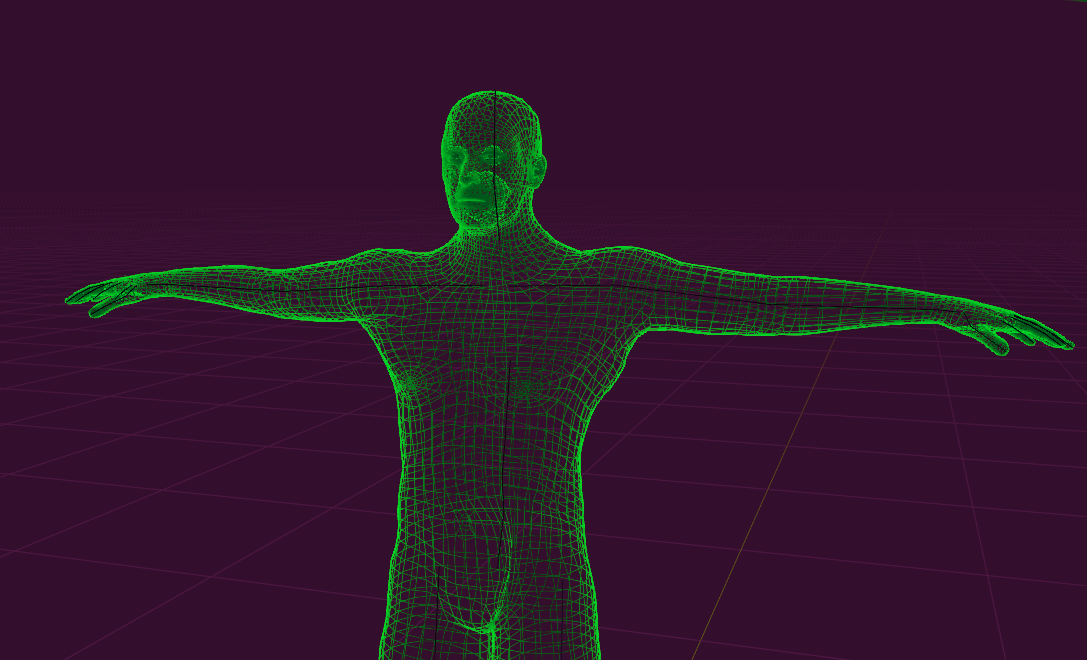
I'll be straight with you: Linux has a lot of great development tools for a lot of different things, from vector art to audio / video production to software development. In a lot of respects, this is the best we've ever had it. But there's one area where we still fall desperately short: character creation tools.
What is Character Creation?
Before we get too into the weeds, let me first acknowledge that, yes, Blender exists, and there's a bunch of extensions that can make it do cool things. In capable hands, an artist can create 3D characters and assets from scratch, which is great.
Character Creation tools are something of a niche product that's useful for people who aren't super interested in trying to spend 1,000 hours perfecting face sculpting, topology, and body rigging. There are a handful of tools out there, like Character Creator, Daz3D, and MetaHuman Creator that can produce remarkable-looking characters. Add in tools like ZBrush or Mavelous Designer, and you can make pretty much whatever your heart desires...
...as long as you're on Windows or macOS. For Linux gamedevs, your options are pretty slim. Let's review what's available to us specifically.
MakeHuman Plugin for Blender
MakeHuman is kind of the granddaddy of free, libre character creation tools. The MakeHuman Plugin for Blender (MHPFB) continues this effort. The plugin is actually quite serviceable, even if the models and community assets look rather plain out of the box.
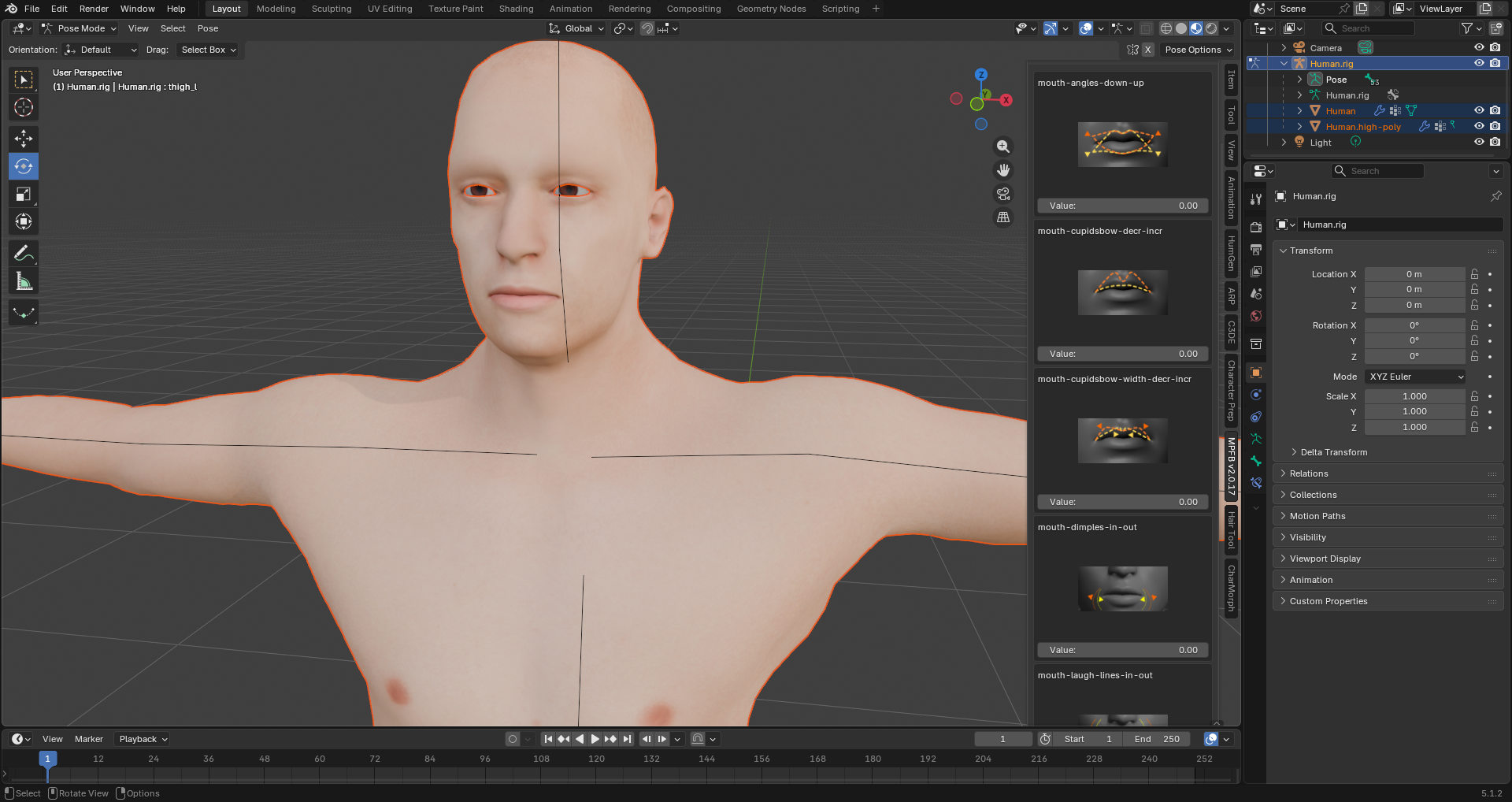
The biggest upside to this effort is that it's all open source, and offers a ton of useful documentation on how to do everything, from making skin to clothing to hair. There's a significant learning curve, but if you're willing to learn how to make all of your assets with it, this could serve you well.
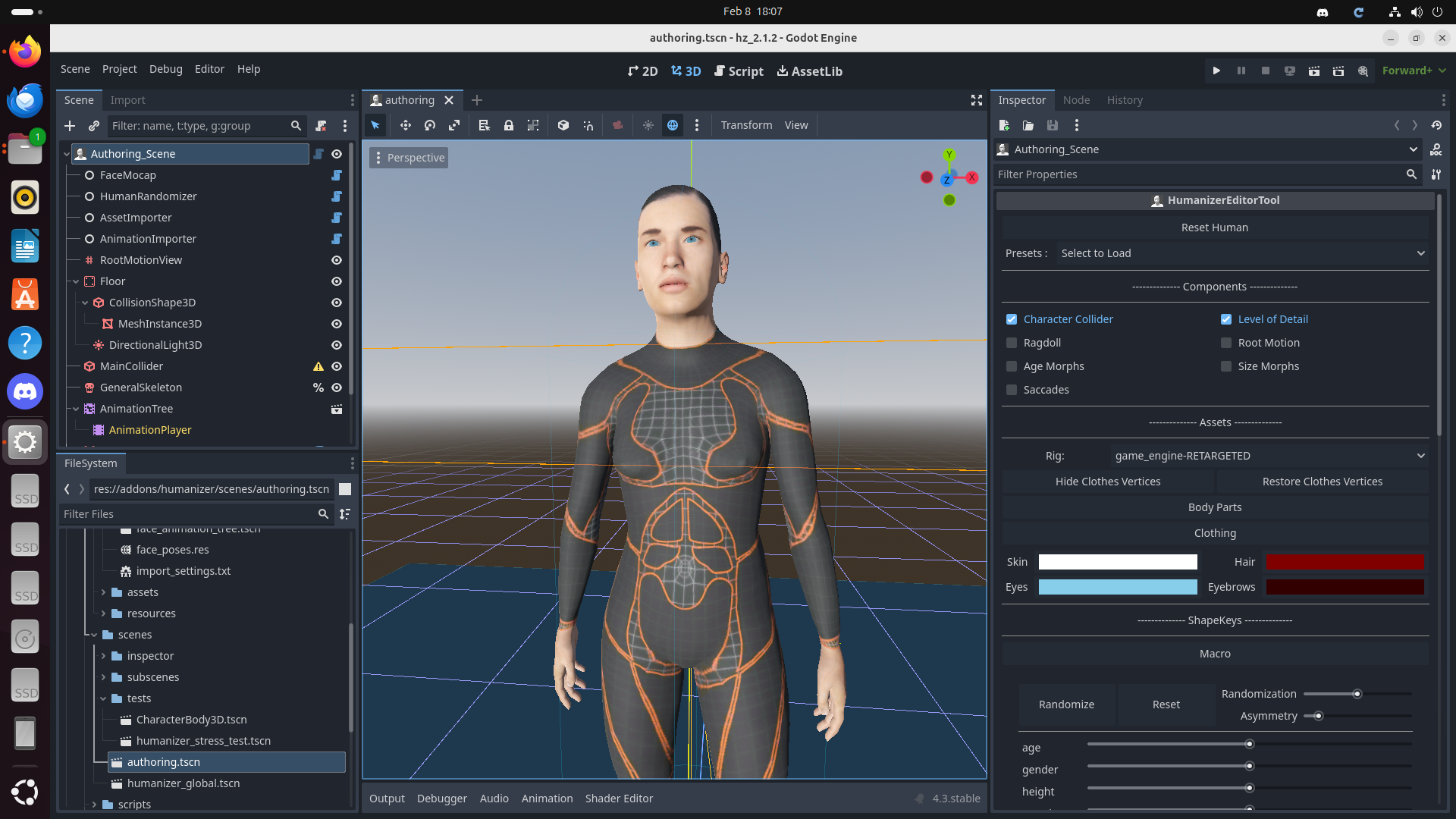
As a neat little bonus, there's a super cool effort to port all of the MHPFB functionality directly into Godot itself. It hasn't been updated in a while, but the building blocks are there. If you wanted to leverage a full 3D character system in Godot 4, with support for adding equipment to bodies, this would be my recommendation. In theory, this could support putting a full custom character creator in your game.
Using It In Practice
Overall, MHPFB is not too difficult to use, but there's a number of things I had to trial-and-error through. The biggest challenge involved ensuring that my character exports looked correct, and that I was properly exporting with a special game rig skeleton.
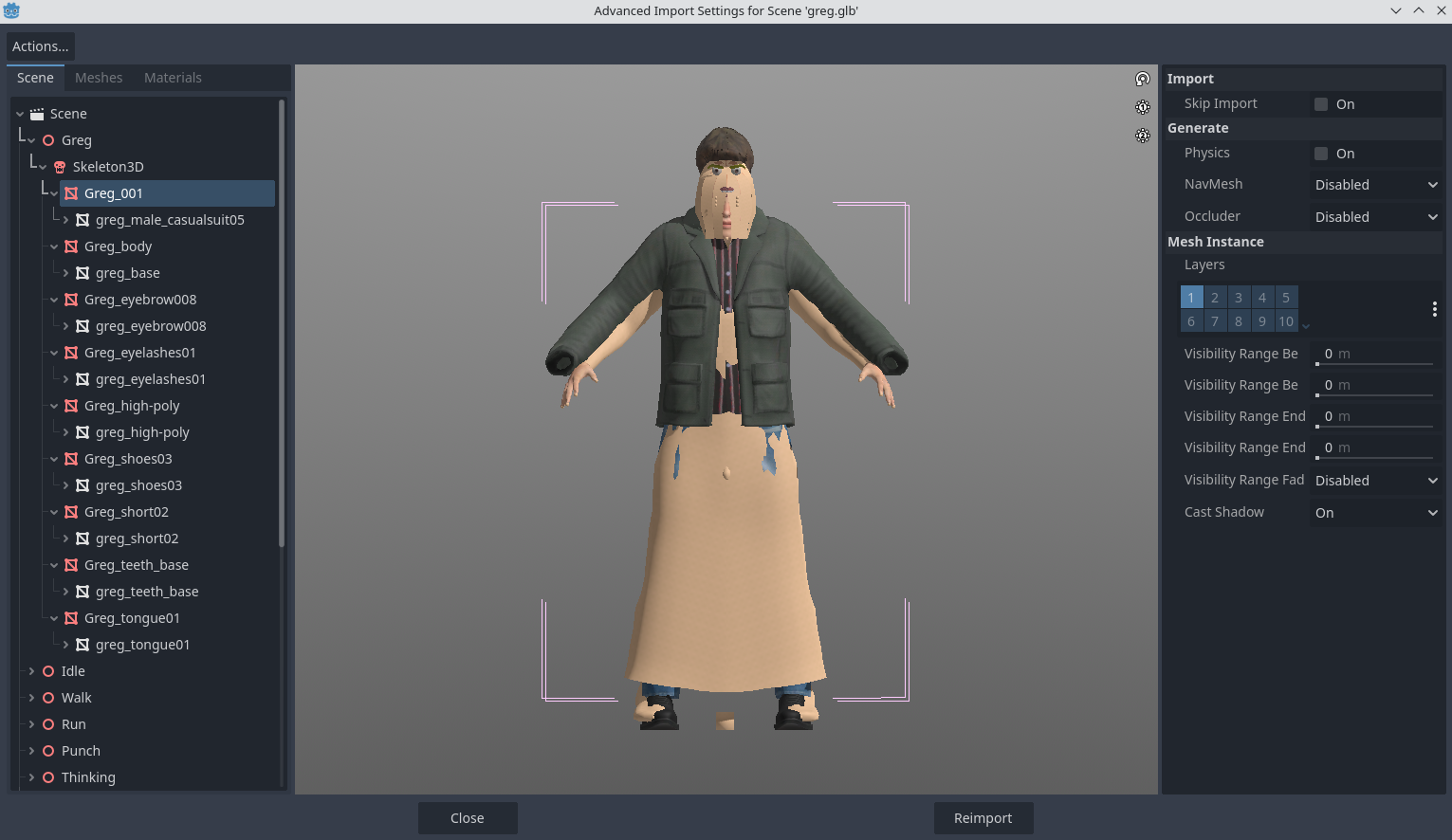
This was my first attempt at importing the model into Godot. What a monstrosity! It turns out that you need to follow a very special series of options for export:
- Limit To: Visible Objects
- Transform: +Y Up
- Data: Shape Keys, Skinning
- Data > Armature: Use Rest Position
- Data > Scene Graph: Uncheck Everything
- Mesh: Only check Apply Modifiers, UVs, Normals
When creating your character, also make sure to use a proper Game Rig skeleton, otherwise, this happens:
Once you're properly set up, you can use Godot's native Animation Retargeting feature to map existing animations onto a compatible human model. Overall, it looks pretty good!
The main limitations of MHPFB involve a lack of graphical fidelity. It by no means looks bad, and can definitely get the job done for a small indie game. In theory, you could greatly improve the models by creating custom skin, custom textures, custom hair, and custom clothing, and then leveraging some kind of eye shader and skin shader for the game engine itself. Here's a really good Godot4 demo showing what's already possible with skin and eye shaders.
Human Generator for Blender
I wanted something with a bit higher fidelity. A friend of mine had recommended Superhive Market, which offers a wide variety of paid plugins and assets for Blender. This is where I found Human Generator. As of this writing, HG costs $128 USD for a commercial license.
At first glance, Human Generator looks like the answer to my prayers. The models and assets look quite good, there's a decent amount of flexibility in terms of character customization, and it doesn't take long at all to put something together that looks relatively nice. The documentation is relatively solid, although the Custom Content sections are pretty sparse, and leaves a lot of guessing to you, the user.
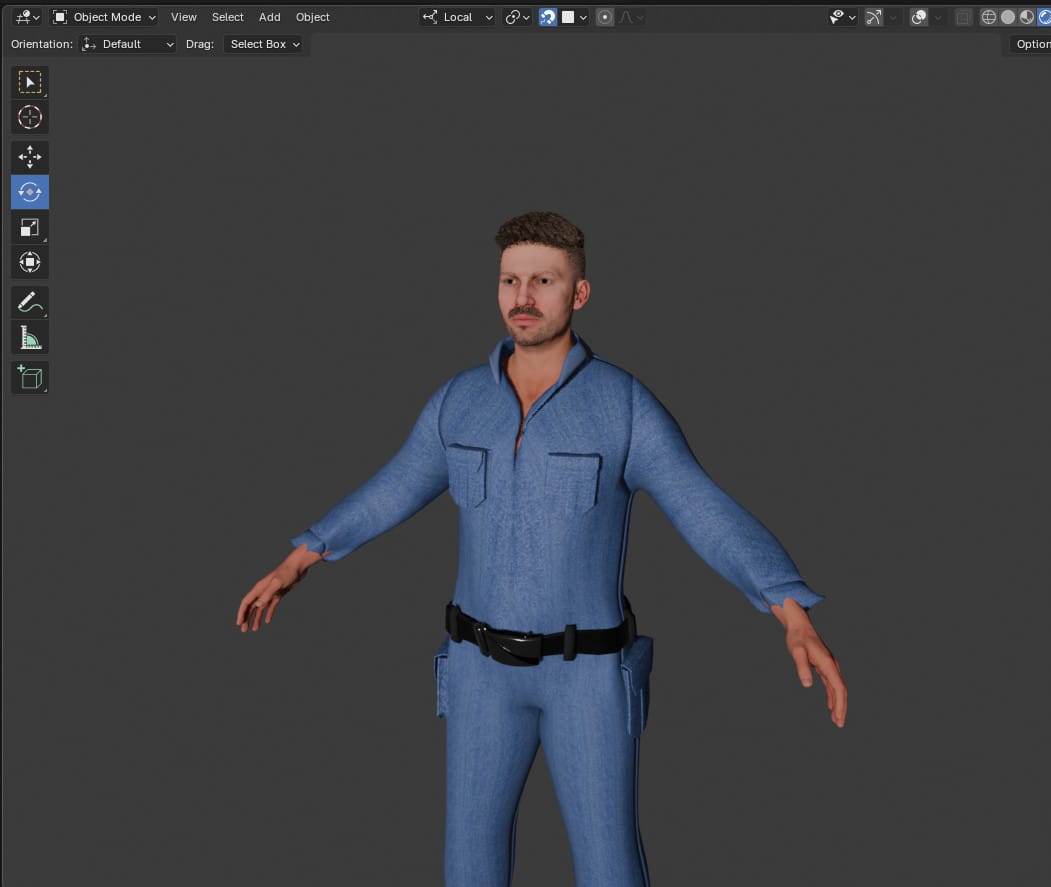
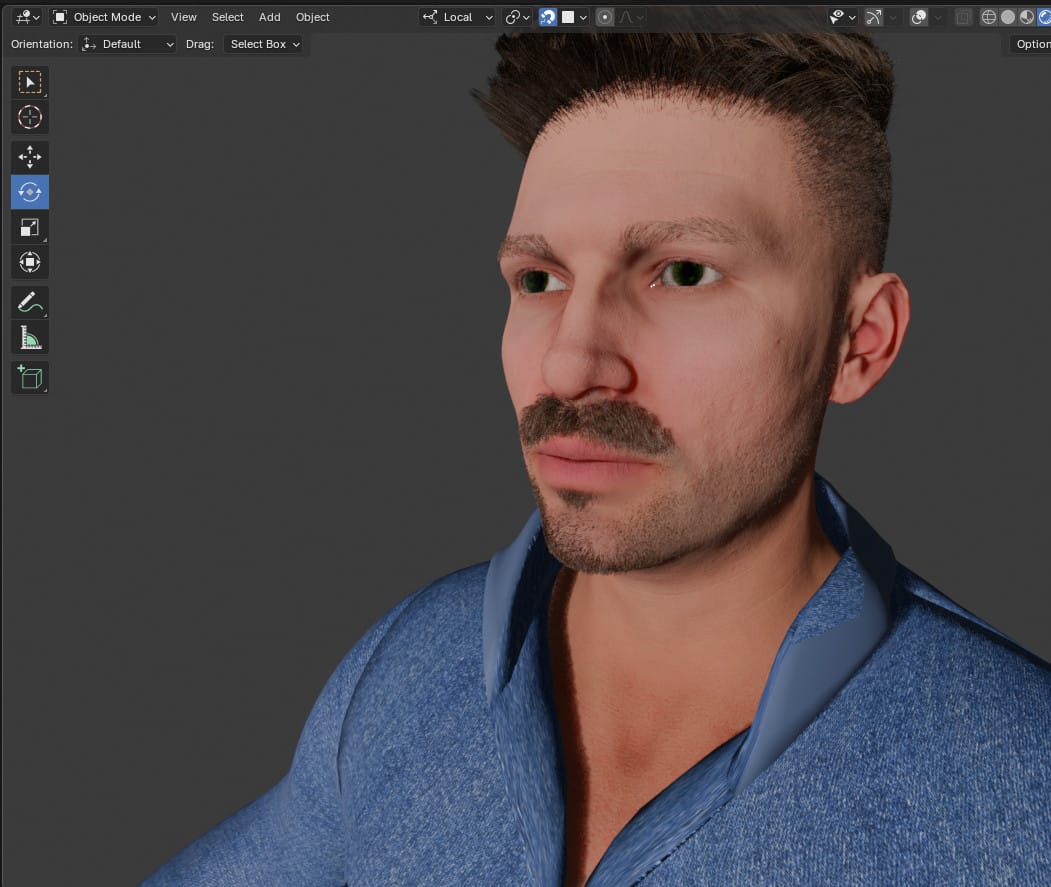
My first stab at a custom character. I was still getting a hang of making clothing at the time.
Where Human Generator falls apart is in its export system. To call it fussy would be an understatement, as various exports came out looking wrong in a variety of ways. Hair wouldn't correctly attach to a character's head, hair ended up being translucent, skin ended up looking waxy, and weird distortions would show up in costumes.
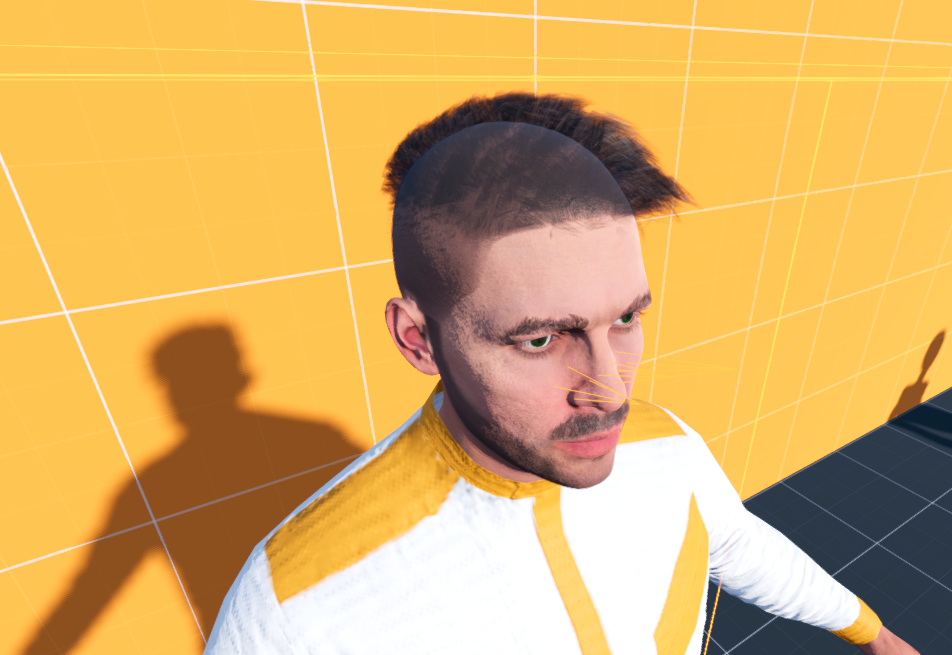
More maddening is the fact that Human Generator models just aren't really designed to be game assets. There are no options to attach a game rig skeleton to a character, and the rest pose always defaults to an A-pose. This makes animation retargeting a nightmare, as many freely licensed character animations only use T-pose as the rest pose, meaning even a simple walk animation will have your character walking around with their arms crossed backwards.
The biggest downside to this plugin, aside from failing to meet my expectations, is the overall lack of a community surrounding it. There are not many pre-made assets available for use, and development appears to move at a snail's pace. Sure, there's a Discord community, but it's often very dead.
CharMorph
CharMorph is the descendant of the venerable MB_Lab project for Blender, which offers a handful of high-quality models and customization options. Unfortunately, CharMorph feels very unfinished compared to other efforts. Its own code repo is somehow out of date compared to the latest code release, with different version numbers and versioning schemes.
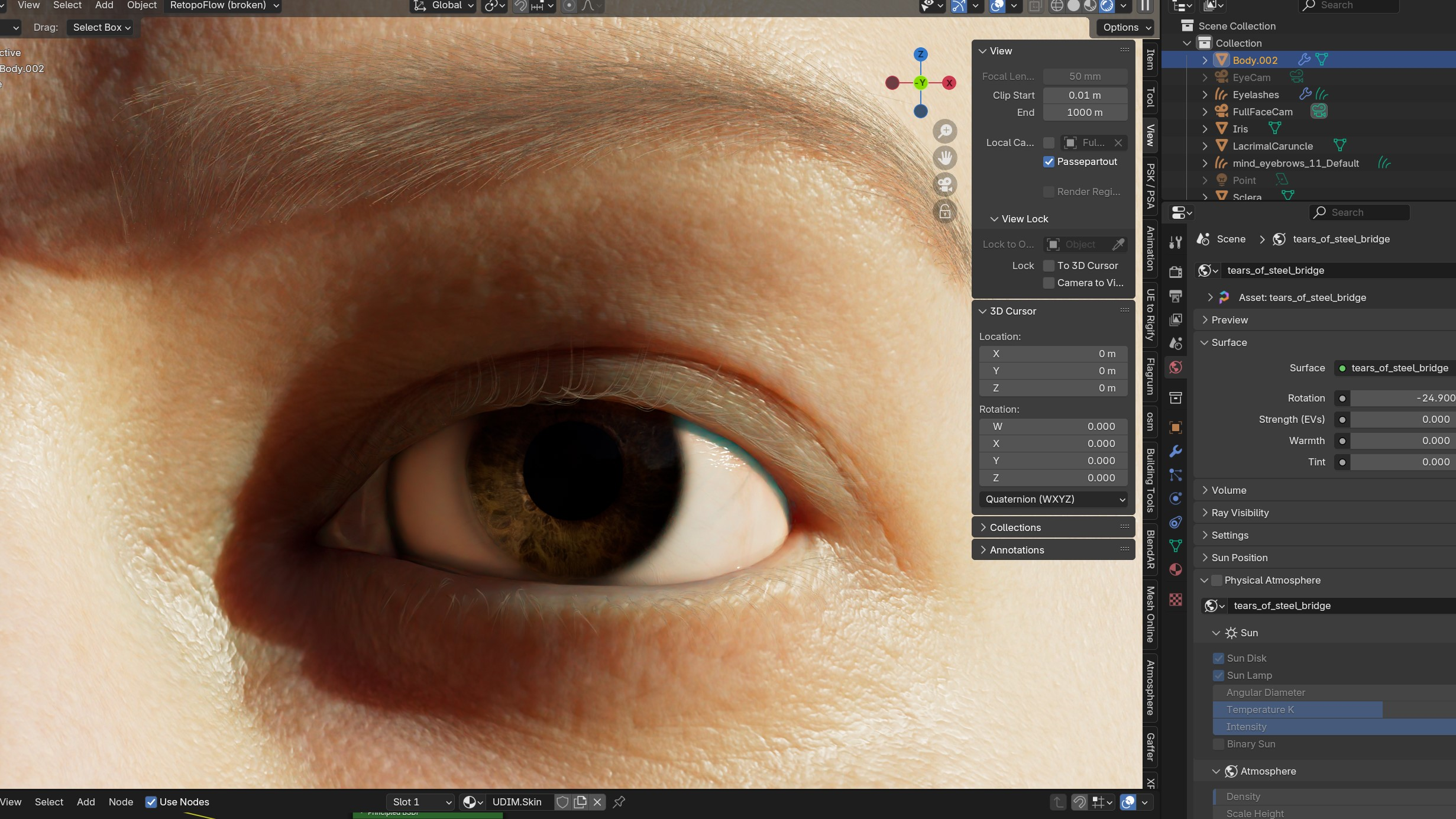
The workflow for CharMorph is kind of hard to wrap your head around. Every other tool out there seems to have a pretty straightforward process: generate a human-shaped model, move some sliders to adjust various features, set skin tone and eye color, play around with hairstyles, add clothing. CharMorph is a bit more confusing in that the sidebar comes with a ton of bells and whistles, but very little information on what any of it does.
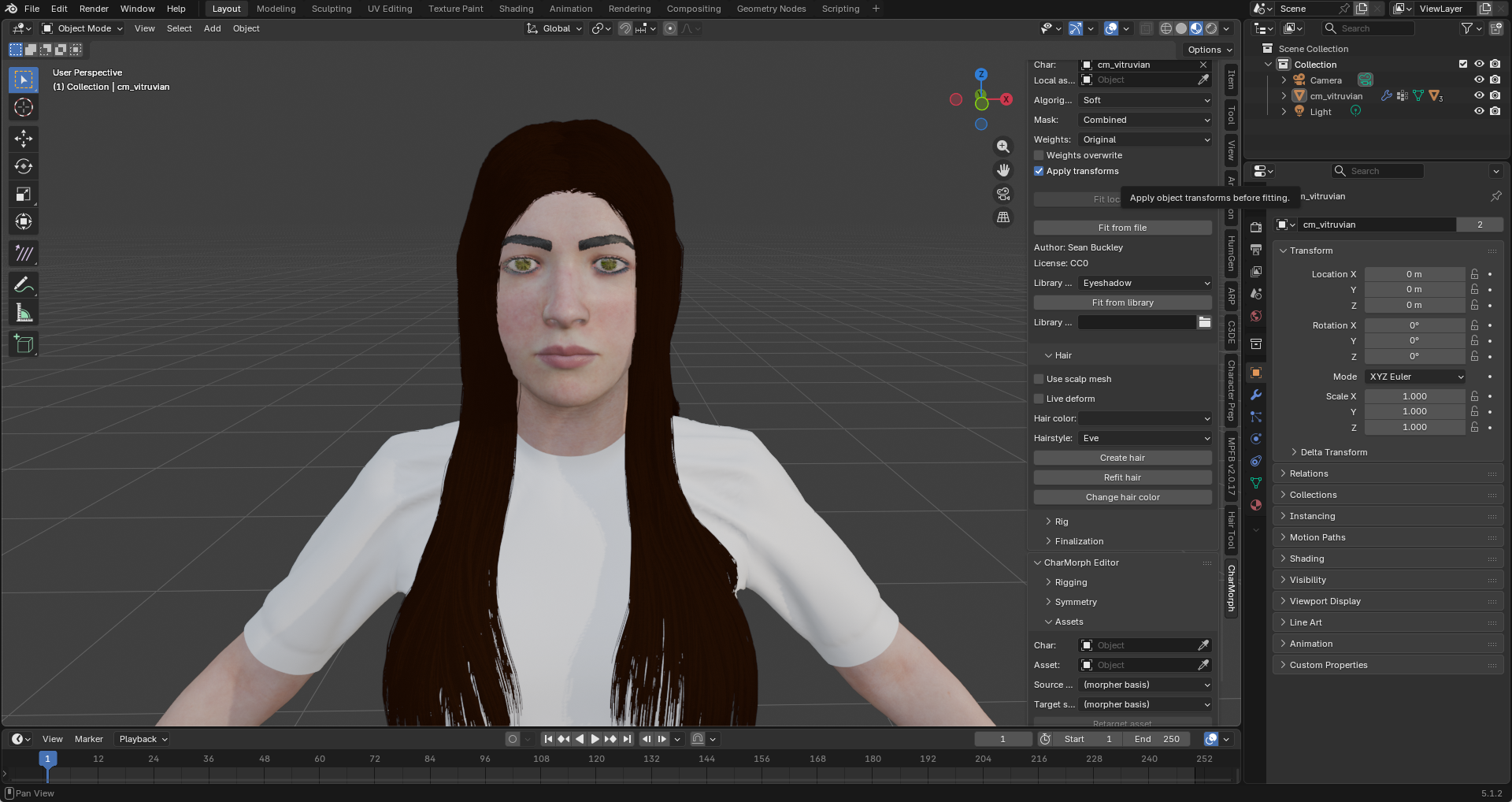
In order to apply cosmetic changes, you have to hunt for this little menu, and make sure that Clamp Props is checked. I only found this out after diving in to the documentation.
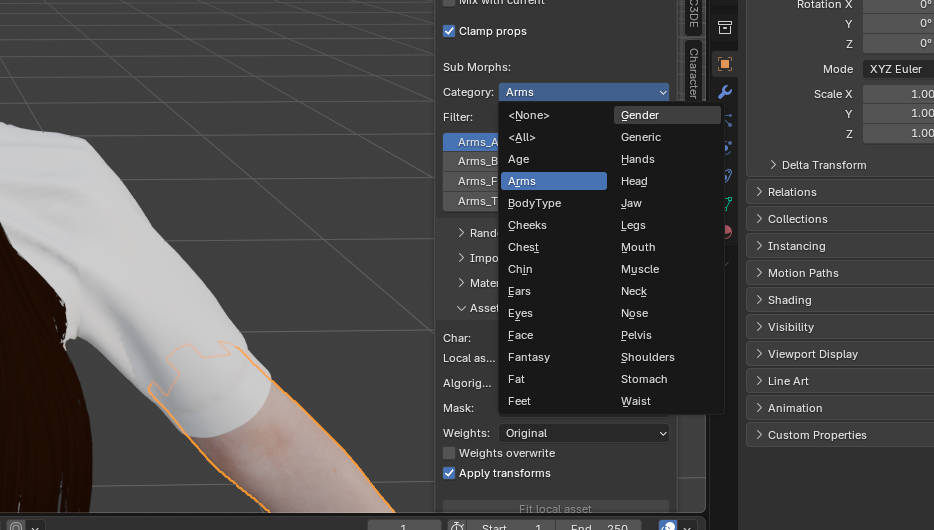
CharMorph is still a cool project, and I wish the best to the people developing it. I just think this needs a lot of UX love and optimization before I can recommend it.
MetaHuman Creator for Unreal Engine
Believe it or not, there are native builds available for Linux! But don't get your hopes up too much, because the entire editor is glitchy, and does not work all that well in a Wayland environment. Even navigating the menus is extremely cumbersome, although the engine itself seems to perform quite well.
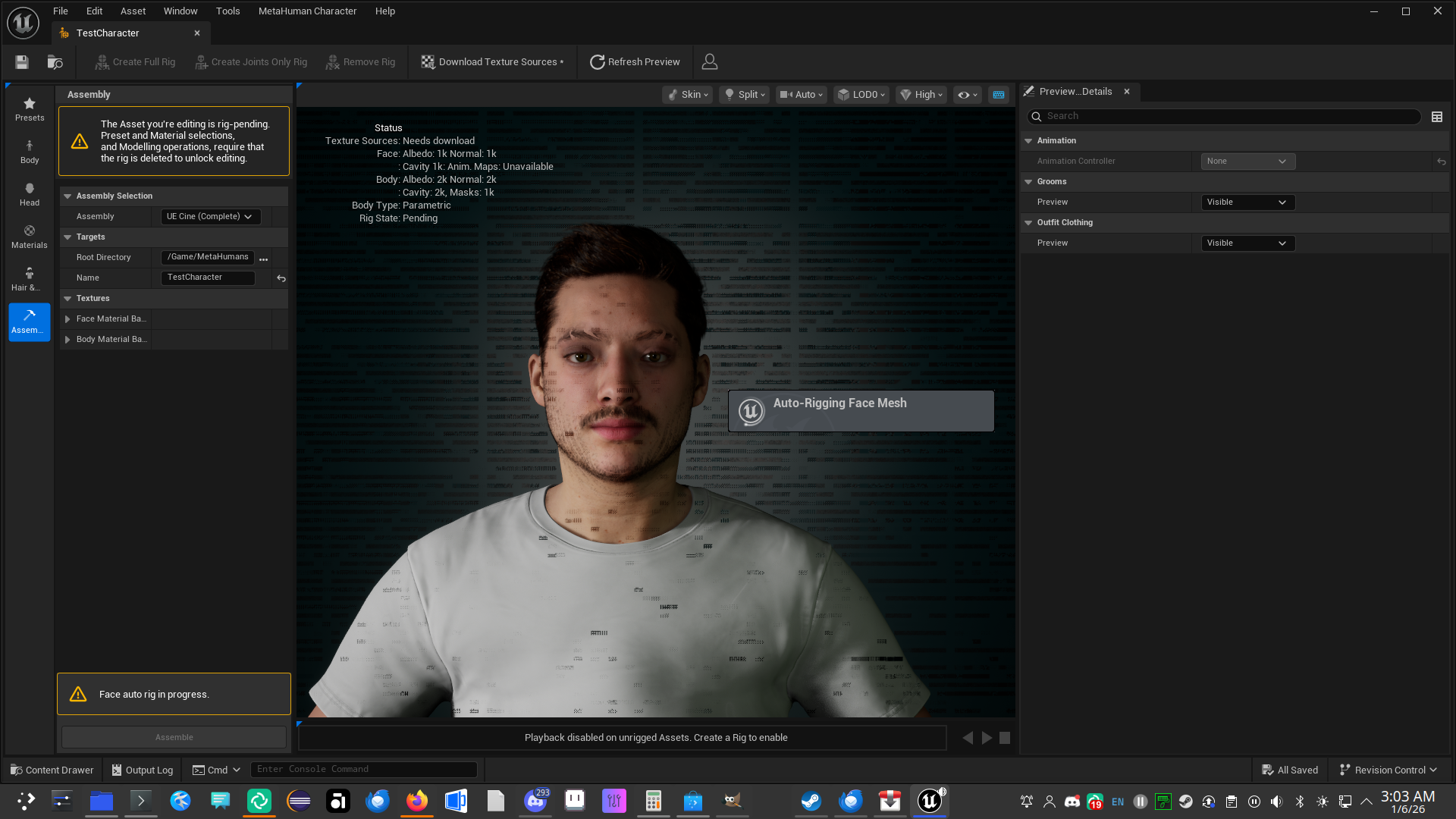
Despite creating relatively good-looking models, there's a lot of extra work involved in trying to make a MetaHuman compatible with Godot, let alone Blender. In theory, it's possible, but there's not a lot of good documentation online.
Is That It?
That's about it. The big commercial offerings don't work well in Wine, and probably aren't coming to Linux any time soon. As an indie dev, I have to think about a path forward for myself that doesn't create a whole lot of extra work.
My main conclusion right now is that MHPFB probably offers the most amount of mileage right now. Humanizer for Godot remains extremely interesting as a project, and I really hope to see it pick up on development again soon.
My thinking is simply this:
- Create high-quality assets (hair, clothing, skin, etc) inside of Blender using MHPFB and other extensions like Hair Tool and Divine Cut. Figure out how to make created assets work well with MakeHuman models.
- Port the results directly to Humanizer, manage it all in-engine with Godot. Instead of modeling characters with clothes, use systems that allow them to equip assets like clothing, hair,
- You might notice that this approach is not unlike how Bethesda manages characters in their Creation Engine. Basically, characters are generic dolls that have generated facial attributes, and assigned hairstyles, clothing, and accessories. I think there's something to designing a game this way, although not every game necessarily has to go full-RPG with swappable clothing.